🎉 Up to 70% Off Selected ItemsShop Sale


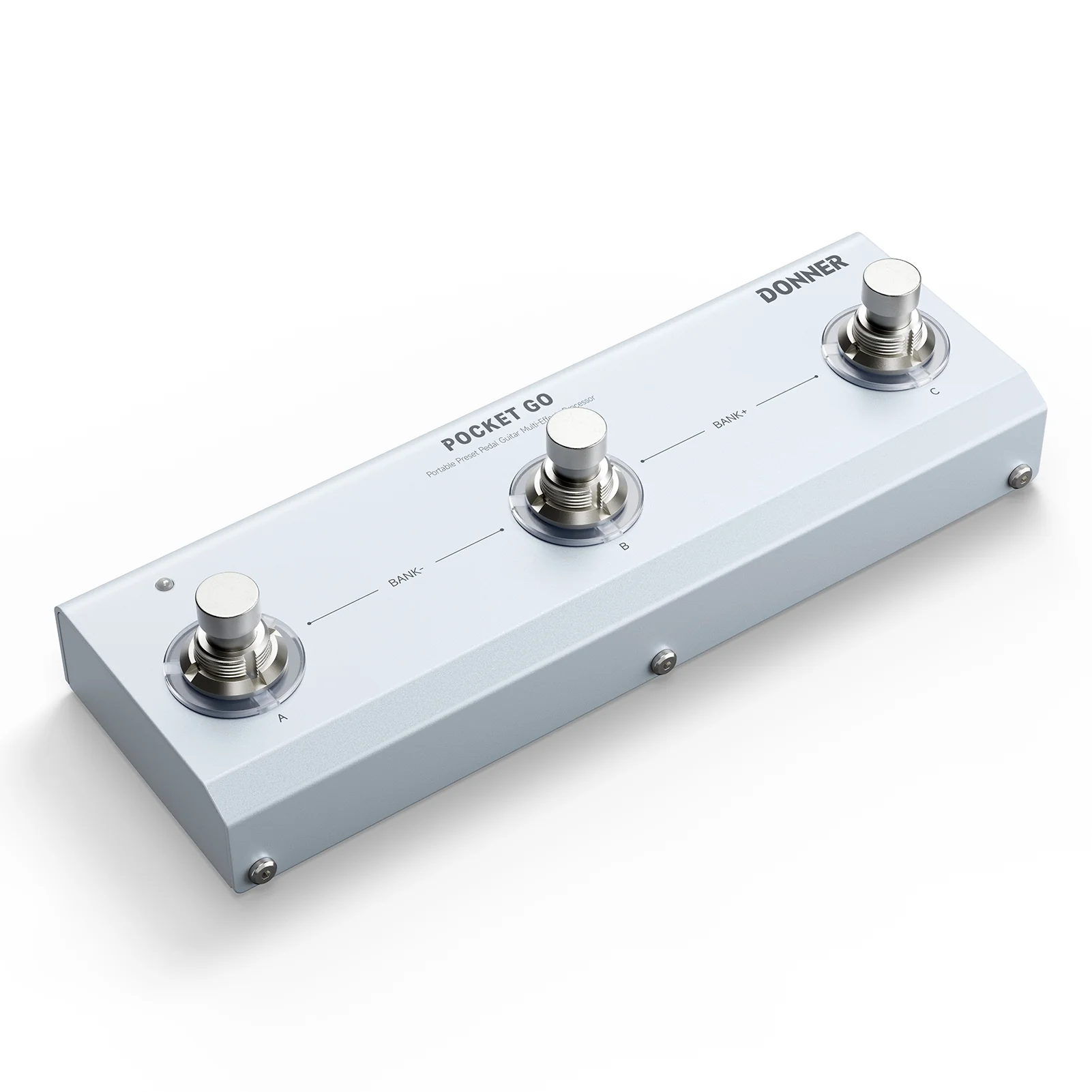

Donner Pocket Go Multi-Effects Processor Pedal

All-in-One Effects Hub
Includes 6 effects modules, 20 amps, EQ, modulation, delay, and reverb—perfect for crafting any tone.

Long-Lasting Power, Anywhere You Play
Built-in 1440mAh battery delivers up to 7 hours of continuous use—perfect for street gigs, rehearsals, or mobile recording sessions without worrying about power.

Customizable Presets On the Fly
Comes with 21 factory presets and lets you easily edit and save your own sounds.

Wireless & Cross-Platform Connectivity
Bluetooth, headphone out, OTG recording, and built-in tuner make it a full-featured mobile studio—seamlessly controlled via dedicated app on Windows, macOS, Android, and iOS.
POCKET GO – FAQ
1.How to download the software or App for Pocket Go?
Please check the Installation Manual on this page, or refer to the manual included with your product, for detailed download and setup steps.
App name on the iOS App Store: M-EFCS
2.How to use the app?
- Before operation, make sure Bluetooth (BT) is turned on for both your device and Pocket Go.
- Open the app and tap the “≡” menu button.
- Select “Pocket Go” under “Current Device”.
- Scan for nearby devices and connect.
3.How to charge the Pocket Go guitar pedal?
- Use a 5V USB adapter or a power bank to charge.
- For best battery life, avoid using the pedal when the battery is very low and unplug once fully charged.
- Do not use a 9V DC power supply to charge — this may damage the battery and the pedal.
$18.30
Original: $60.99
-70%Donner Pocket Go Multi-Effects Processor Pedal—
$60.99
$18.30Product Information
Product Information
Shipping & Returns
Shipping & Returns
Description
All-in-One Effects Hub
Includes 6 effects modules, 20 amps, EQ, modulation, delay, and reverb—perfect for crafting any tone.
Long-Lasting Power, Anywhere You Play
Built-in 1440mAh battery delivers up to 7 hours of continuous use—perfect for street gigs, rehearsals, or mobile recording sessions without worrying about power.
Customizable Presets On the Fly
Comes with 21 factory presets and lets you easily edit and save your own sounds.
Wireless & Cross-Platform Connectivity
Bluetooth, headphone out, OTG recording, and built-in tuner make it a full-featured mobile studio—seamlessly controlled via dedicated app on Windows, macOS, Android, and iOS.
POCKET GO – FAQ
1.How to download the software or App for Pocket Go?
Please check the Installation Manual on this page, or refer to the manual included with your product, for detailed download and setup steps.
App name on the iOS App Store: M-EFCS
2.How to use the app?
- Before operation, make sure Bluetooth (BT) is turned on for both your device and Pocket Go.
- Open the app and tap the “≡” menu button.
- Select “Pocket Go” under “Current Device”.
- Scan for nearby devices and connect.
3.How to charge the Pocket Go guitar pedal?
- Use a 5V USB adapter or a power bank to charge.
- For best battery life, avoid using the pedal when the battery is very low and unplug once fully charged.
- Do not use a 9V DC power supply to charge — this may damage the battery and the pedal.